



MIKROTIK HOTSPOT MANAGEMENT, MADE SIMPLE
AT A GLANCE
Everything your hotspot needs, in one place.
Routers, profiles, users and live sessions — tracked live from your own installation.
3
Routers
54
Profiles
4281
Hotspot users
51791
Active sessions
CAPABILITIES
Built for hotspot operators
From the corner cyber café to an entire neighborhood network — MikManager handles it.
One dashboard to run your whole hotspot
- Define unlimited offers: rate limits, session time, data quota and validity.
- Generate user/password or voucher batches in one click — printable as PDF tickets.
- Follow live sessions, bandwidth and data usage in real time.
- Track daily sales and revenue per router (multi-currency).
- Multi-language and light/dark themes out of the box.
HOW IT WORKS
Three steps and you are live
No complex MikroTik scripting required — the app talks to the router for you.
1. Connect your router
Add your MikroTik with provided script. The app pushes all configuration through the RouterOS API.
2. Define your offers
Create hotspot profiles with the speed, session time, data quota and price that fit each client.
3. Sell & monitor
Generate vouchers, print them, hand them out, then watch sessions, bandwidth and daily revenue.
FEATURES
Everything inside MikManager
A complete toolkit for selling and managing MikroTik hotspot access.
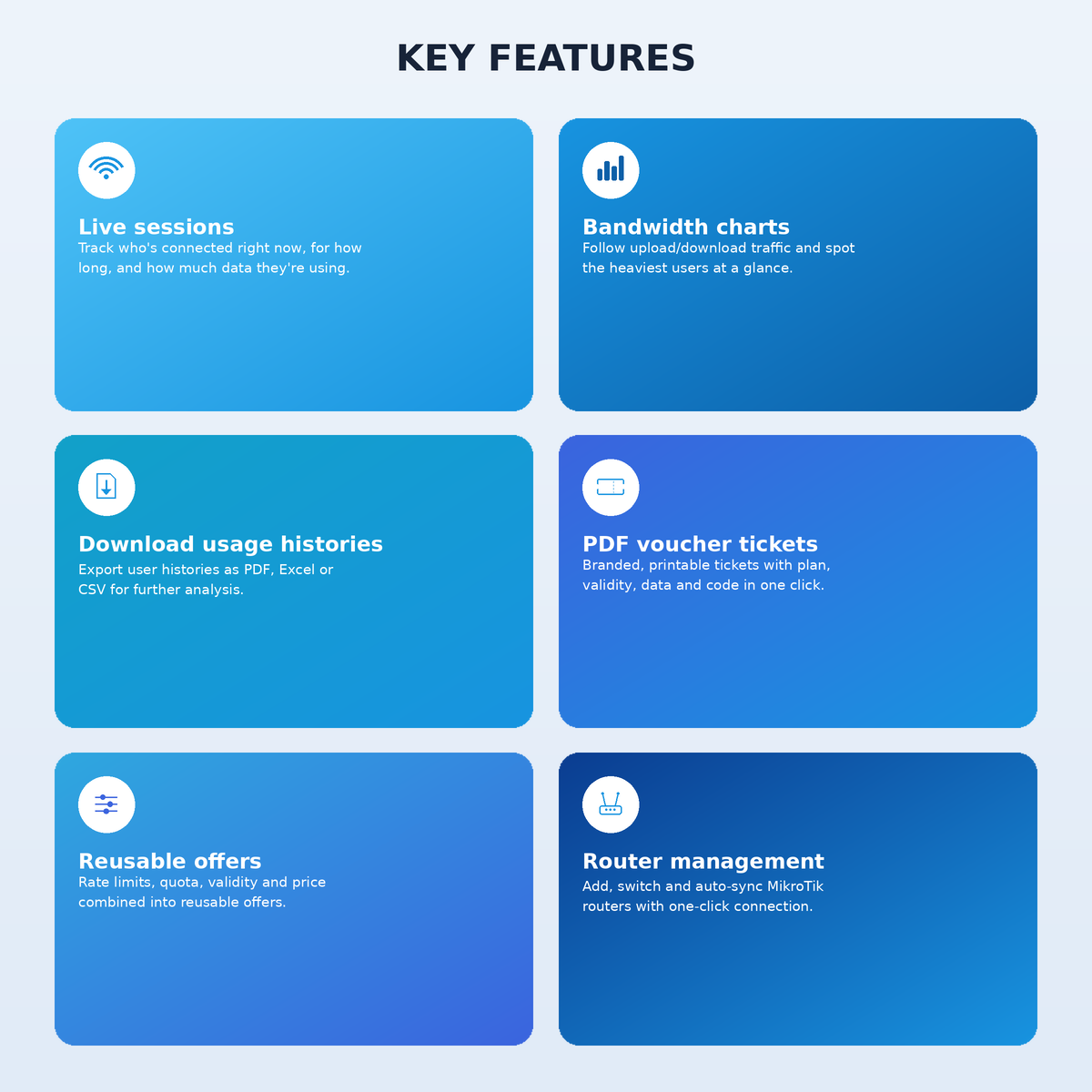
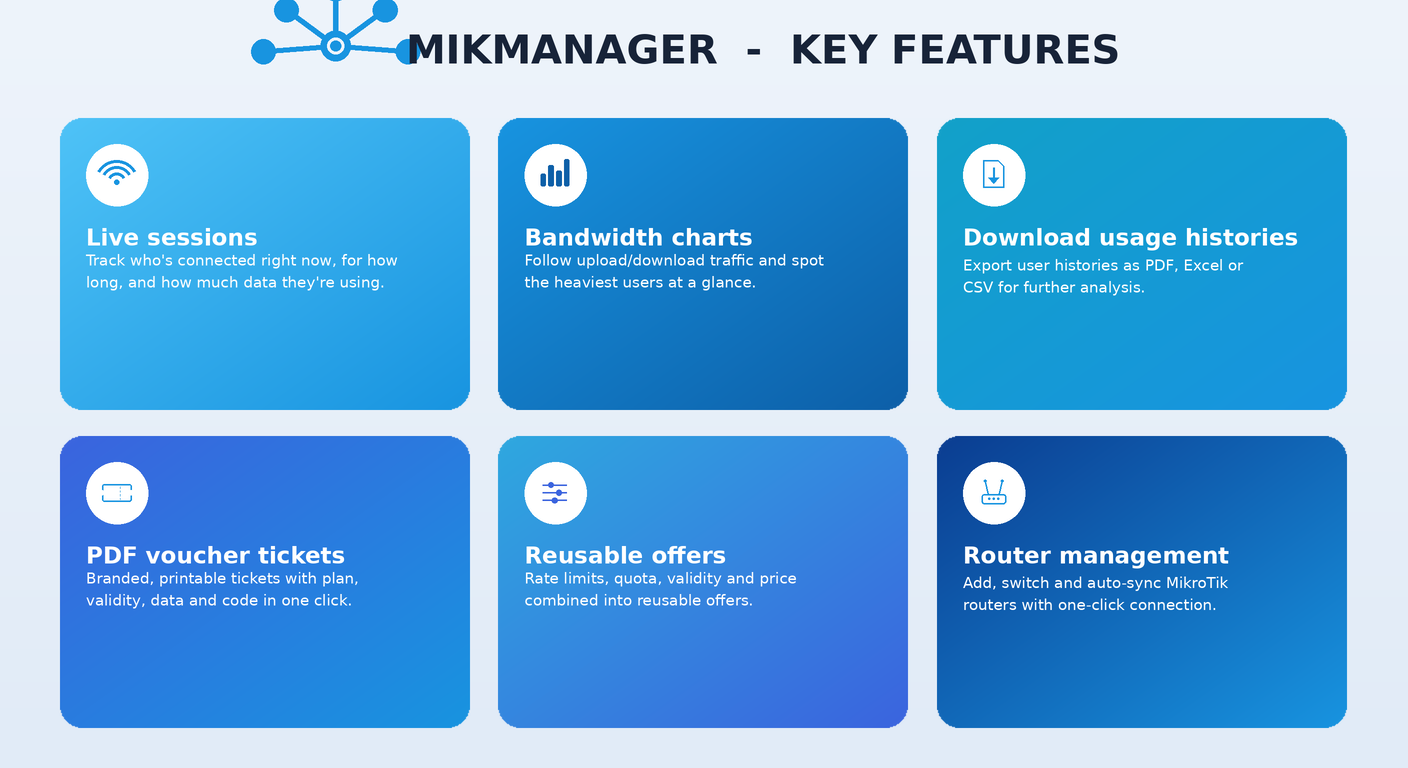
Router management
Add, edit and switch between MikroTik routers with one-click connection and auto-sync of your hotspot users.
Offer profiles
Rate limits, shared users, session time, data quota, validity and price — combined into reusable offers.
Voucher generation
Create user/password batches from any profile and print them as polished PDF voucher tickets.
PDF voucher tickets
Branded, printable tickets with the plan, validity, data and code — ready in one click.
Live sessions
See who is connected right now, for how long, and how much data they are using.Disconnect if needed.
Bandwidth charts
Follow upload/download traffic and identify the heaviest users at a glance.
Sales & accounting
Sold-user reports, daily revenue and totals — in your local currency.
Download Usage histories
Download histories of users in Pdf,Excel and csv for further analysis.
PROOF
See it in action
Real screenshots from the app, straight from the interface.
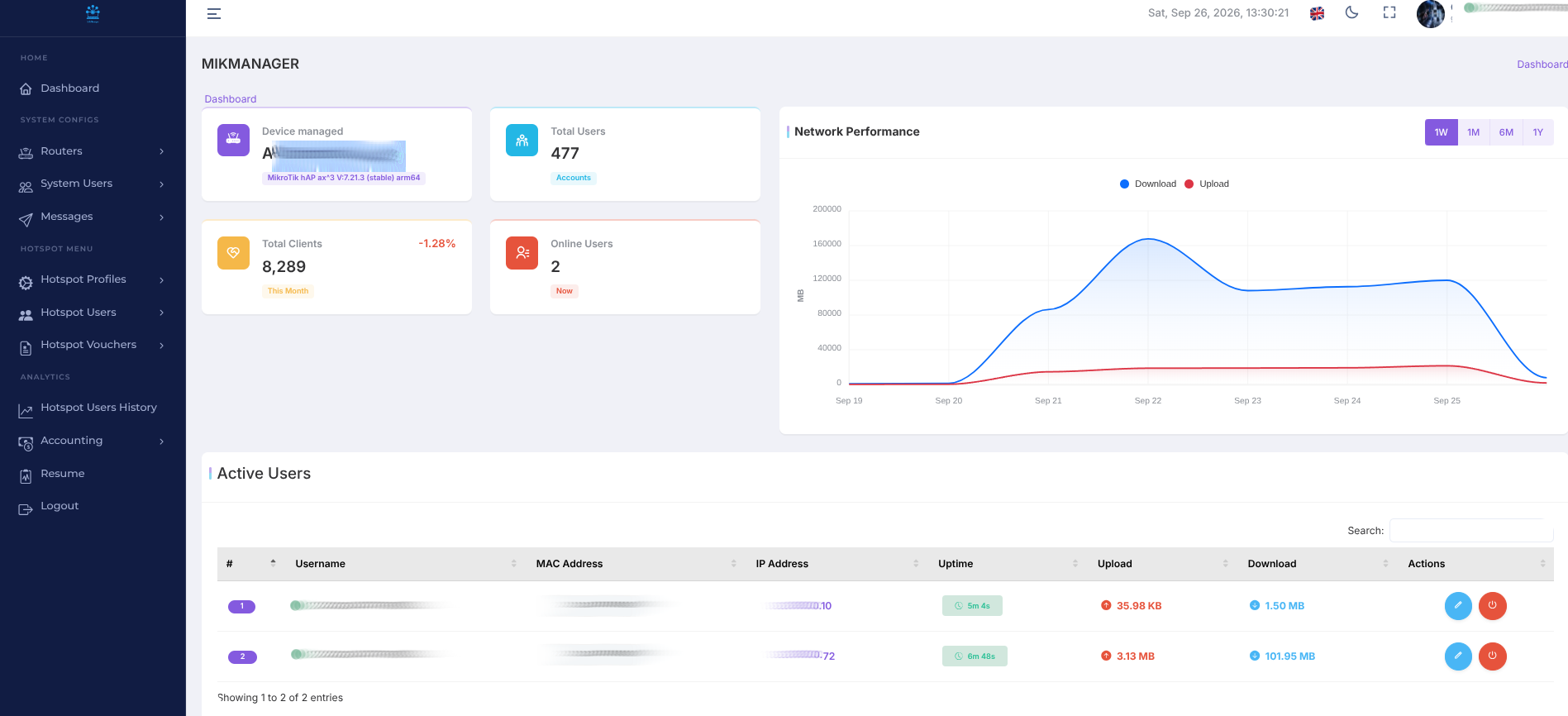
Dashboard overview
Routers, users and live activity at a glance.
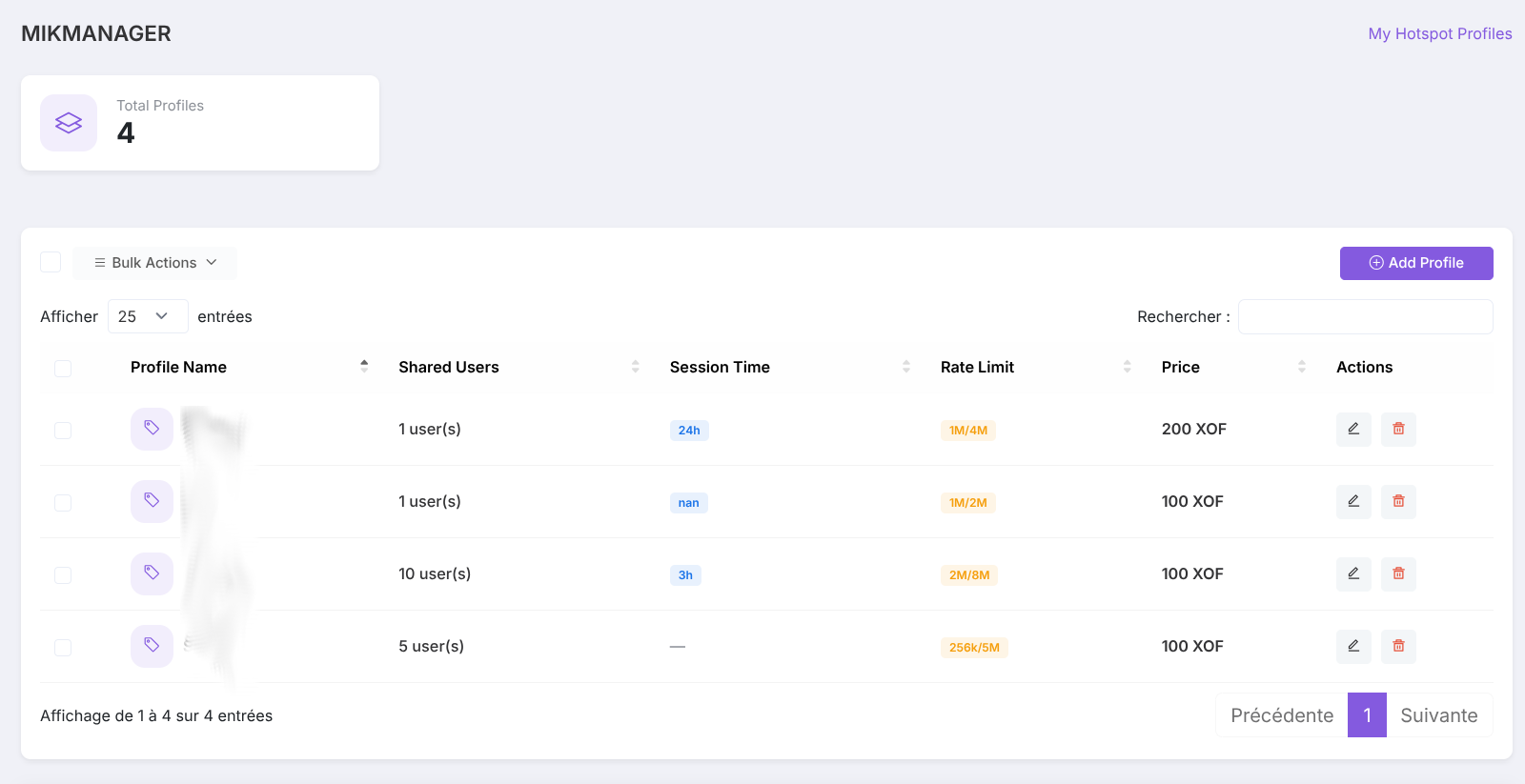
Hotspot profiles
Rate limits, quotas and prices per offer.
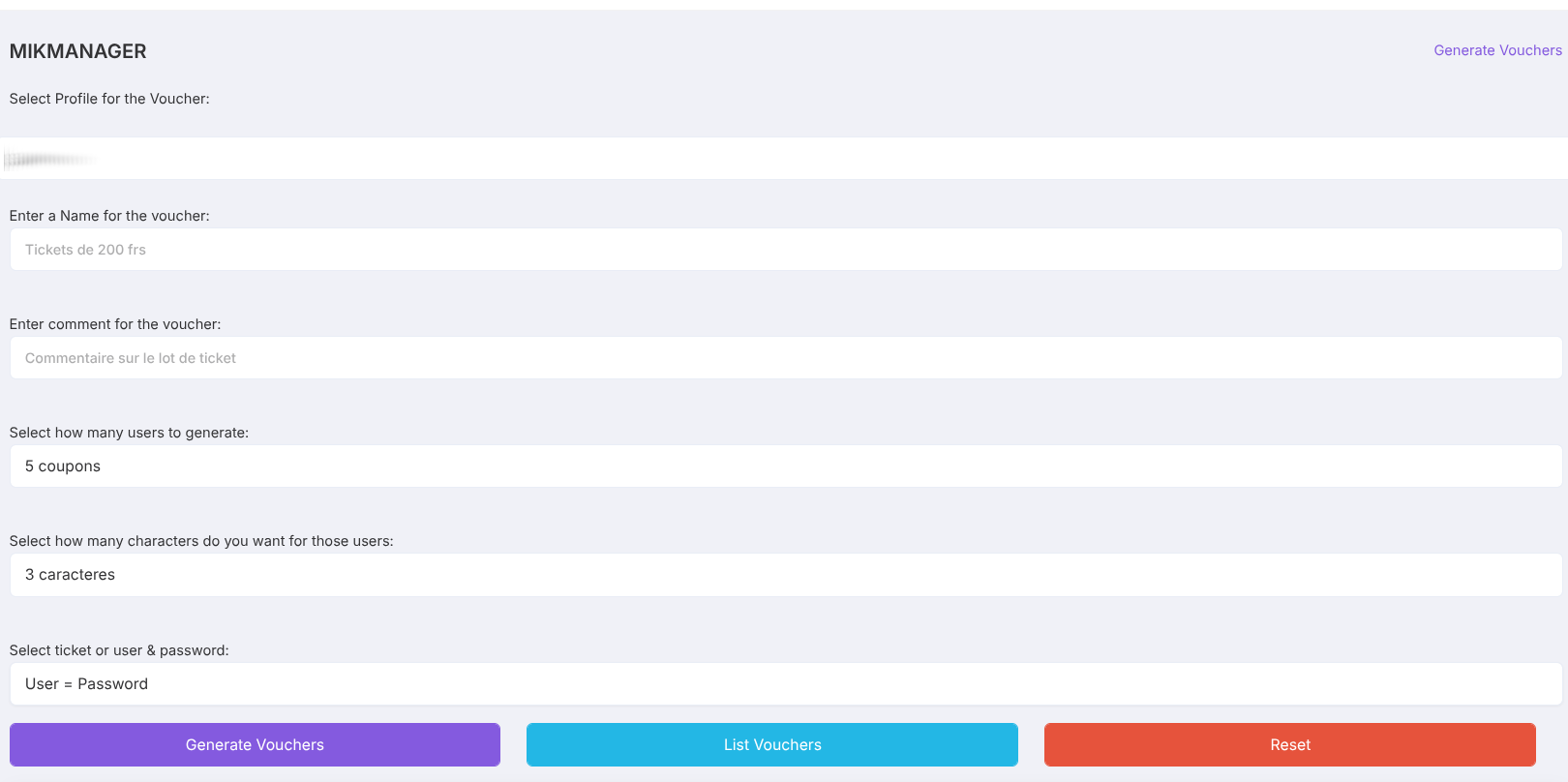
Voucher creation
Batch user/password generation from any offer.
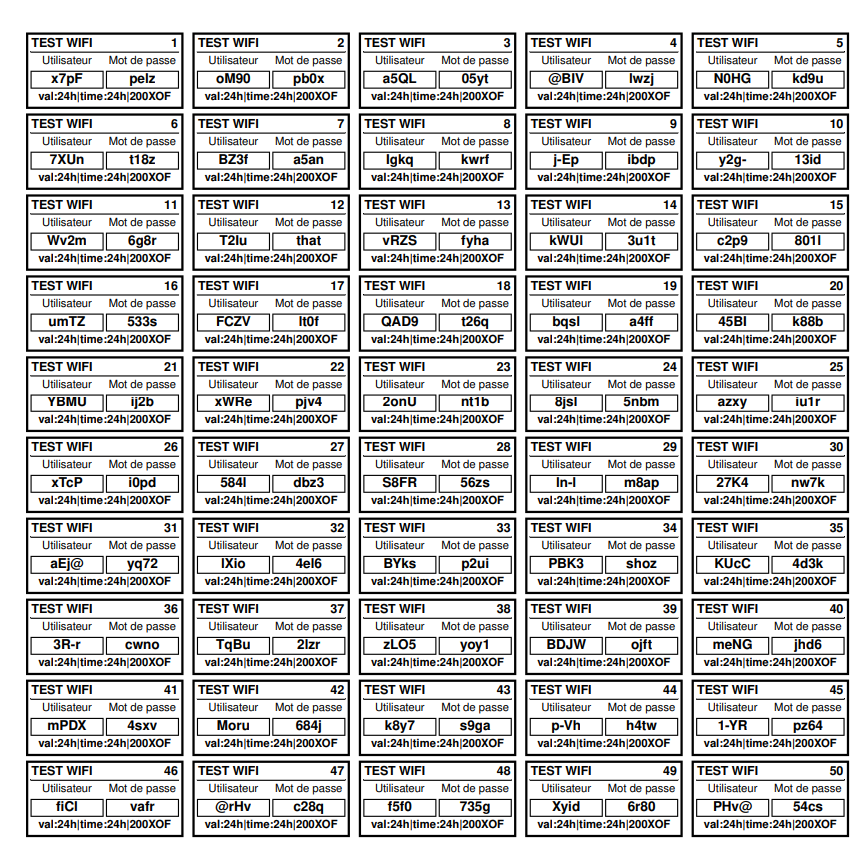
Voucher PDF ticket
The voucher exactly as your customer receives it.
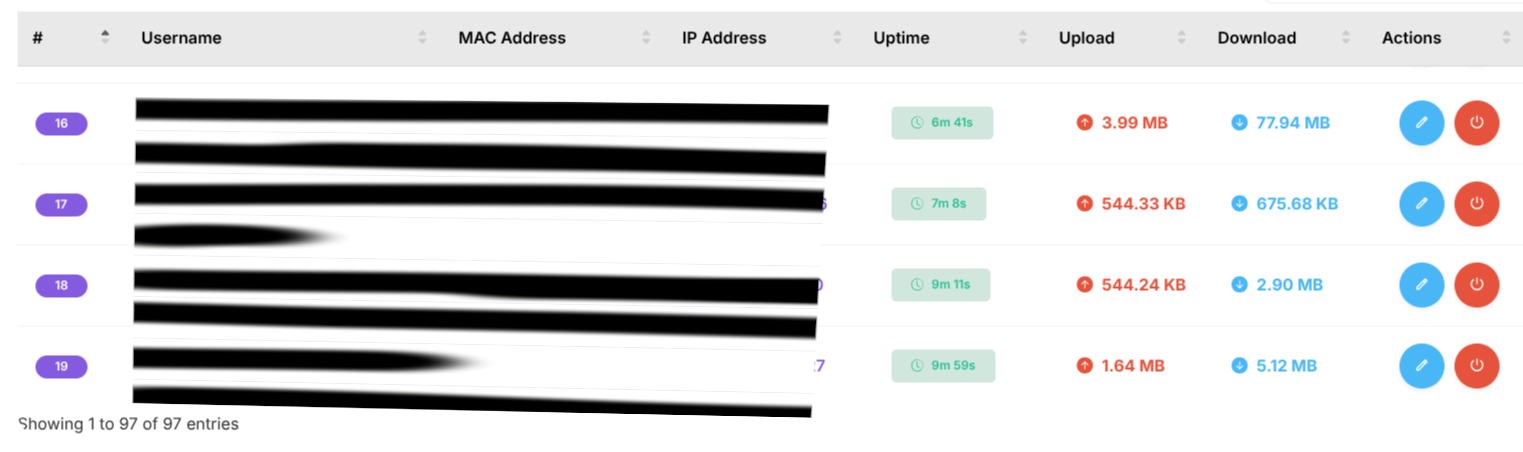
Active users & bandwidth
Who's online, data used and traffic charts.
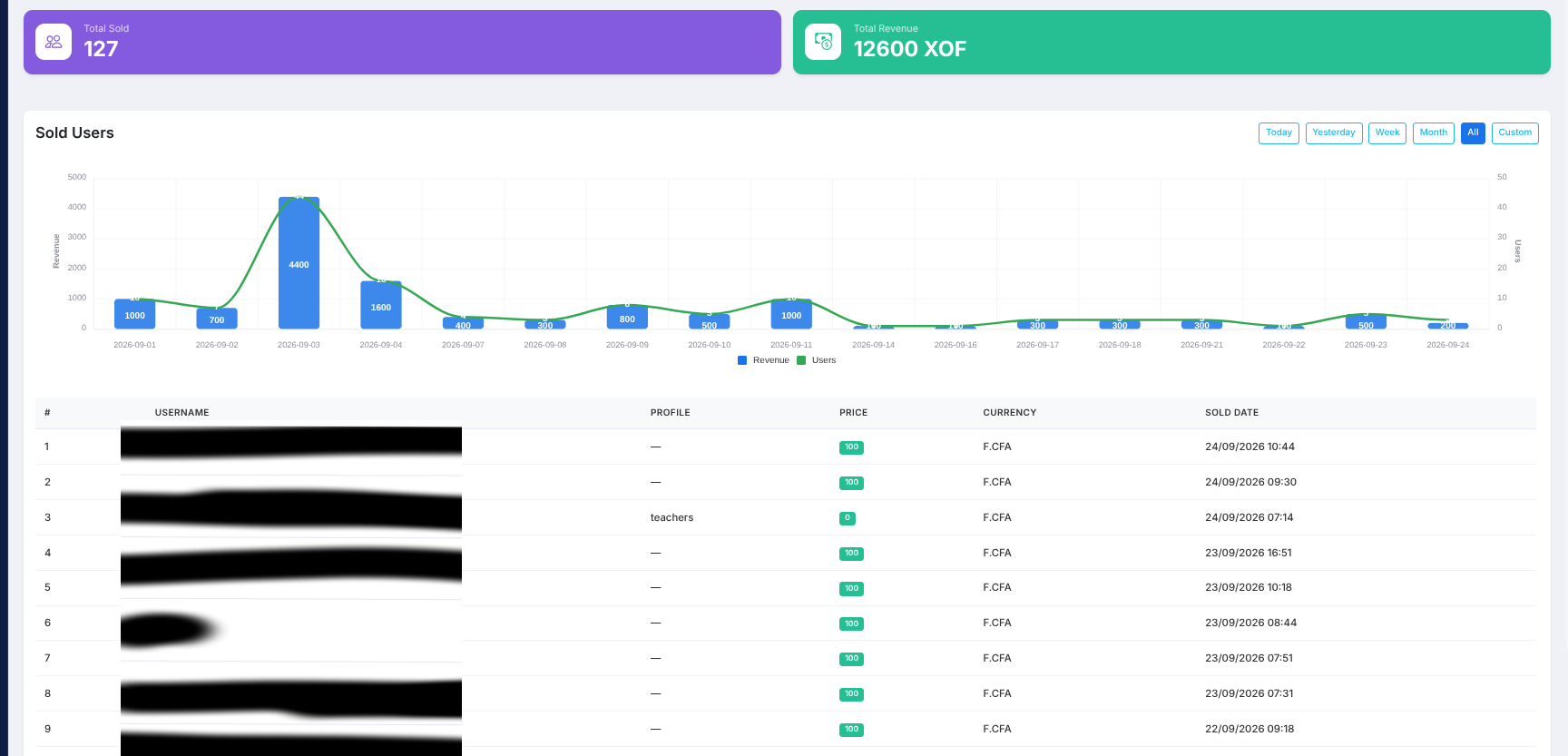
Sales & accounting
Daily sales and revenue per router.
F.A.Q
Frequently asked questions
We have gathered the questions we hear the most.
CONTACT
Ready to run your hotspot?
Jump straight in, or reach out — we will gladly walk you through setup.

MikManager is an all-in-one tool to operate MikroTik hotspots: offers, voucher printing, live sessions, bandwidth and sales — on your own hardware.
Runs on your LAN or VPN. Your data stays yours.